
Login to Quantum Digital
Go to https://quantumdigital.com/ and login with the client’s credentials found in 1Password.
Back to TopUpload List
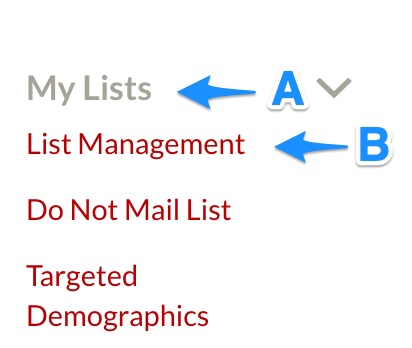
A) On the lefthand side, click “My Lists”
B) Click on “List Management” under the dropdown menu
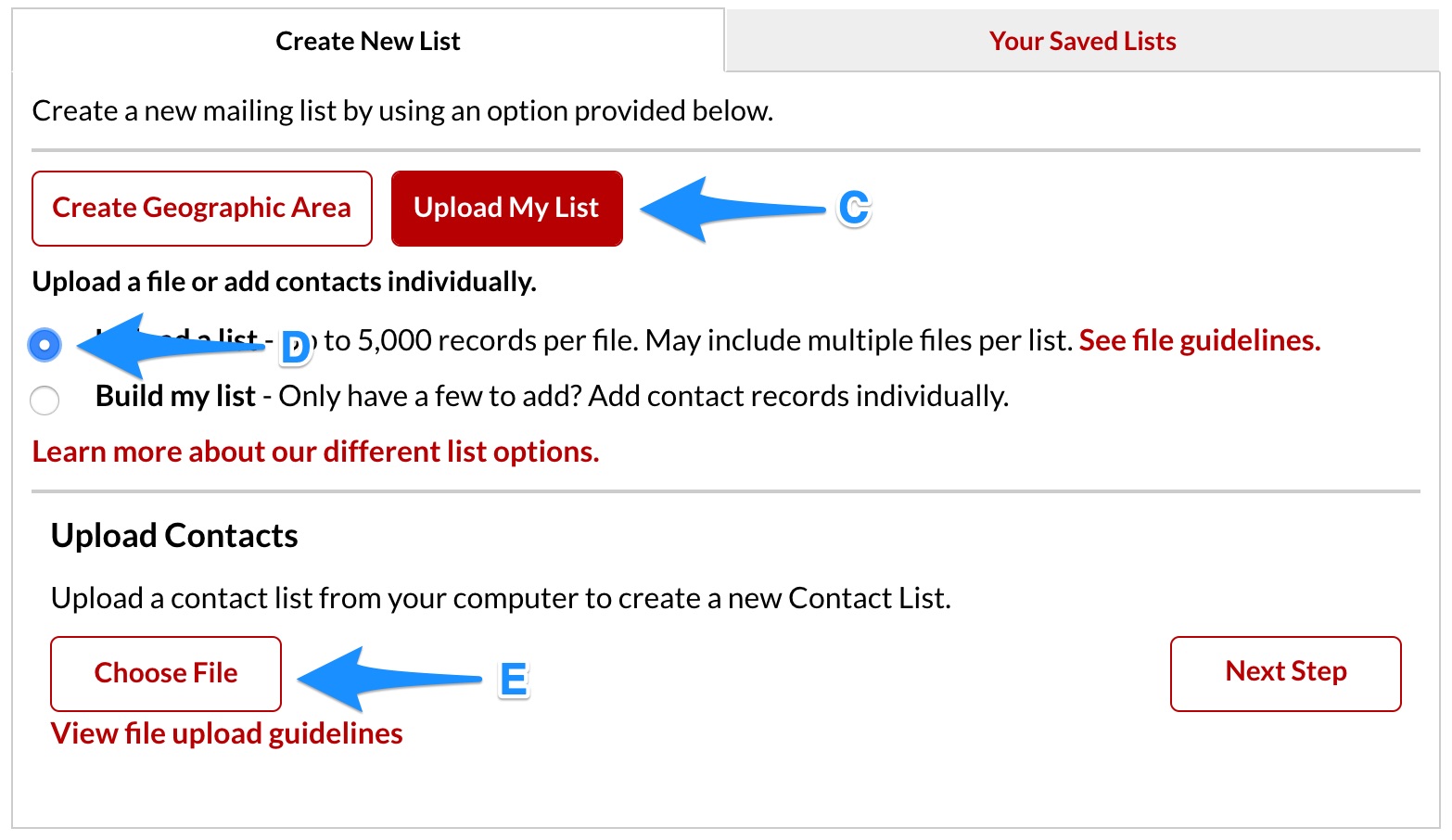
C) Choose “Upload My List” under the “Create New Lists” tab
D) Select “Upload a list”
E) Click “Choose File”
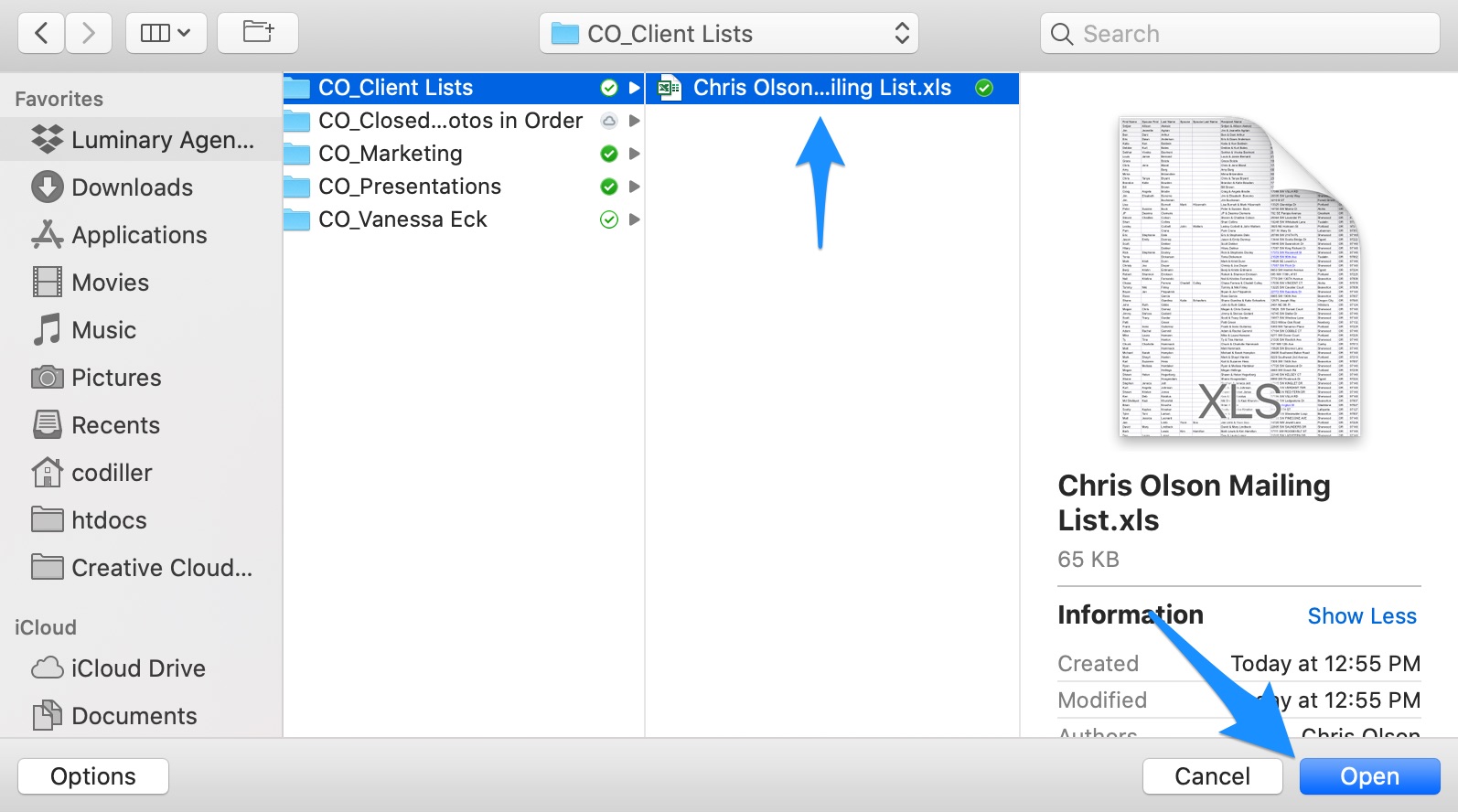
E) Find and select the file and click “Open”
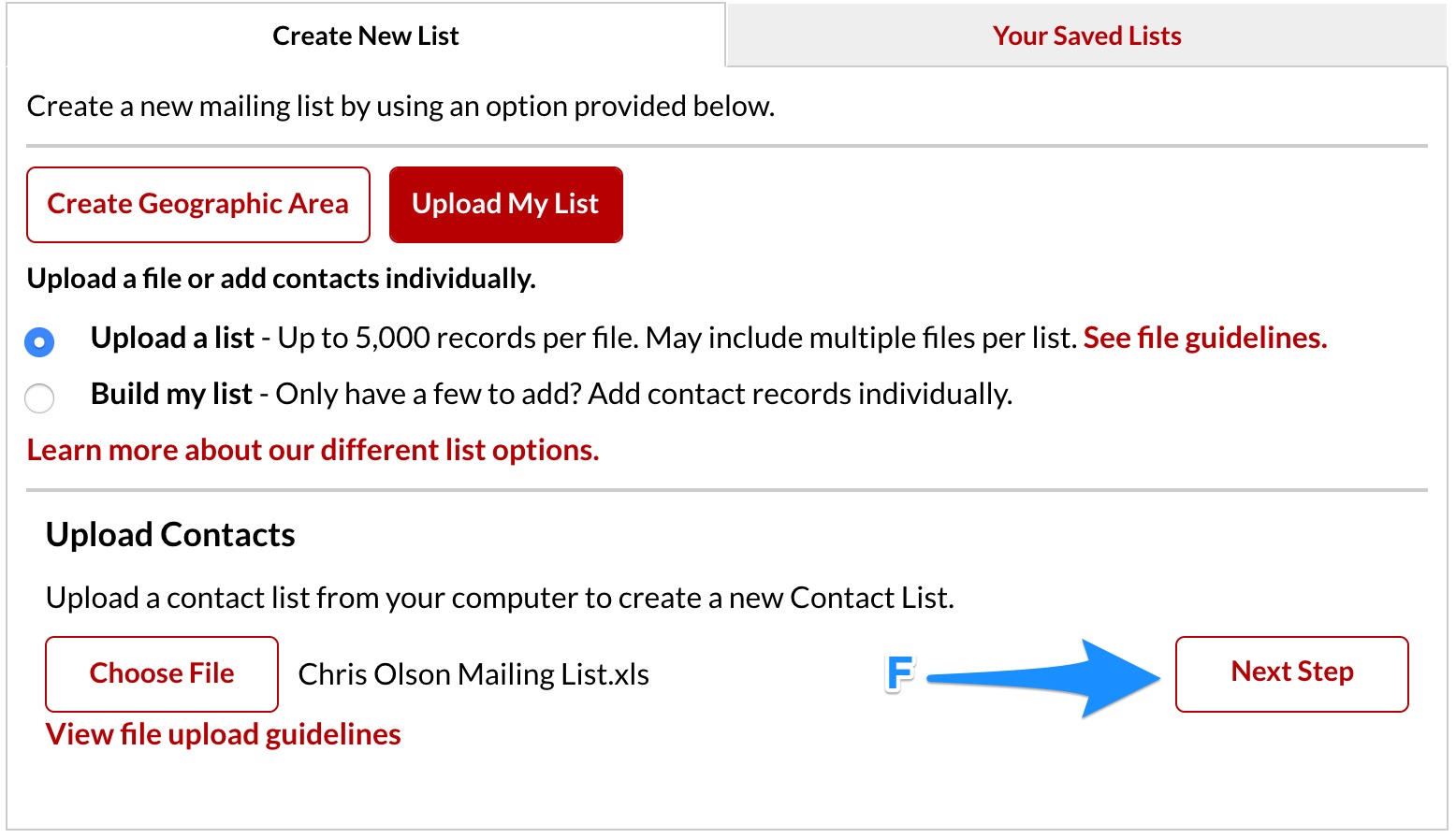
F) Click “Next Step”
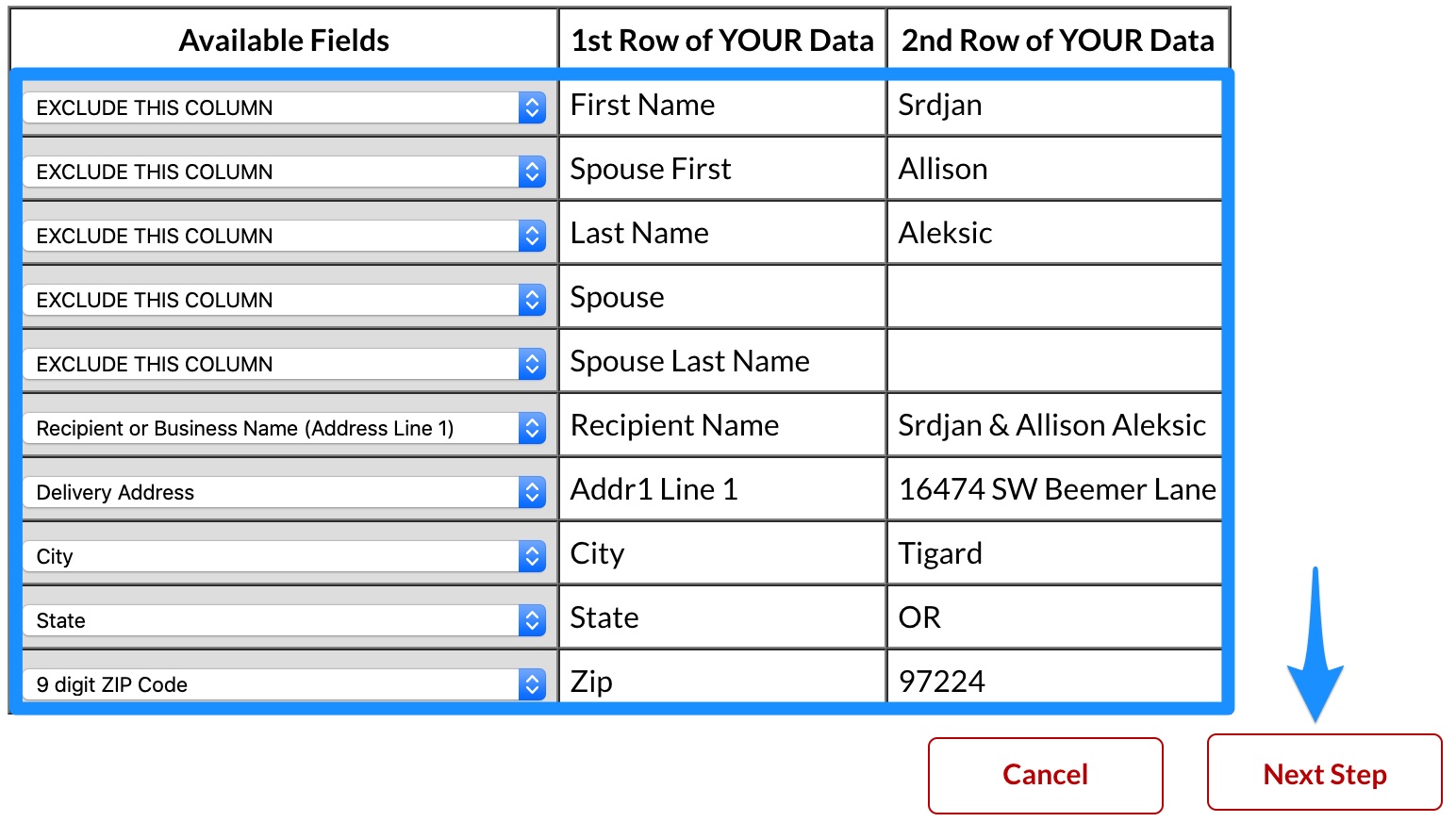
Map the Fields
Map the fields and choose “Next Step”
NOTE: Some clients will have a “Recipient Name” or “Address Line 1” column and some will only have “First Name” and “Last Name”. If the former exists, use it and exclude the “First Name” and “Last Name” columns. Otherwise, use the latter.
NOTE: Make sure all fields that aren’t mapped have “EXCLUDE THIS COLUMN” chosen.
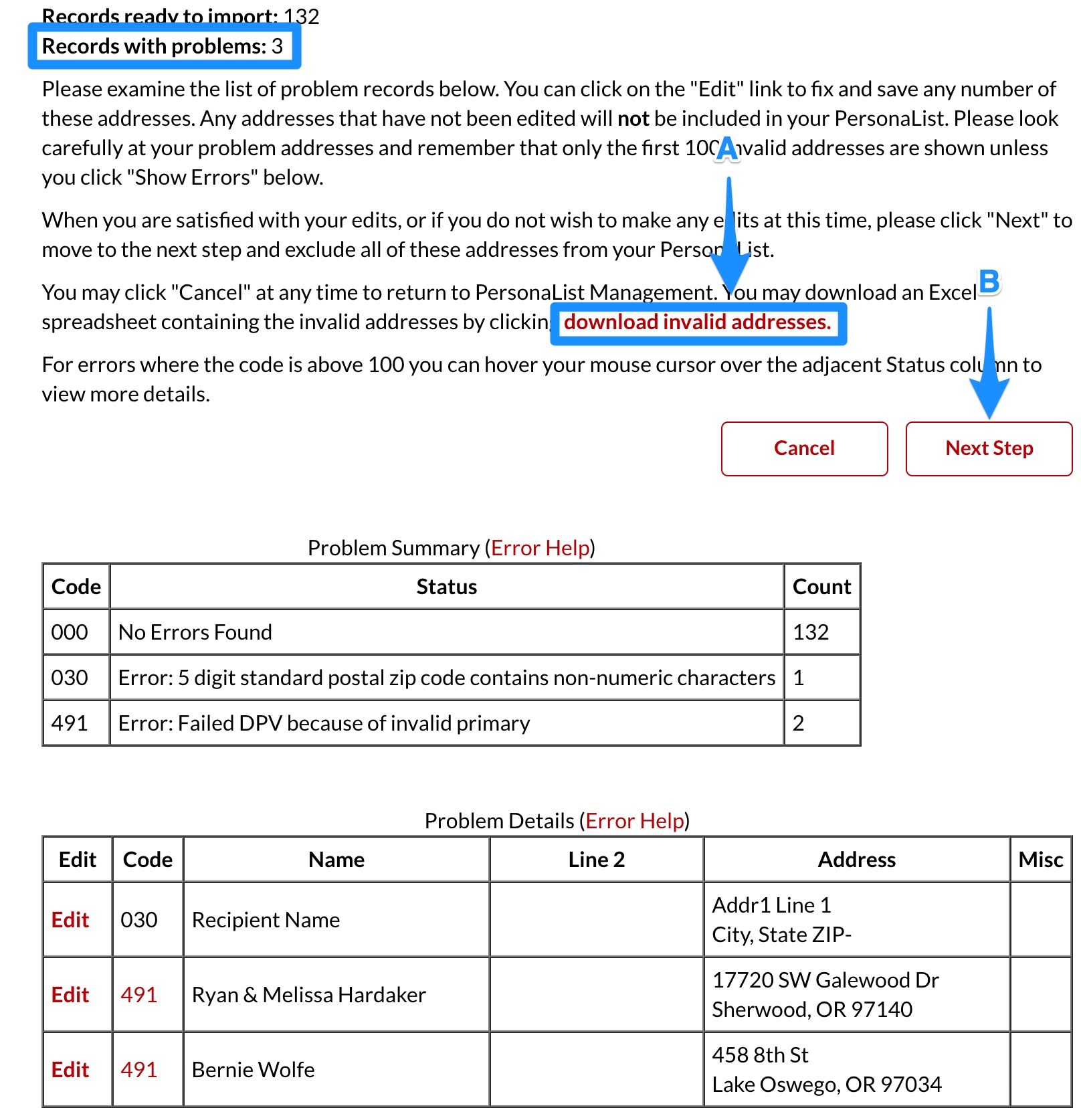
Download Invalid Addresses
If there are invalid addresses (you will know because it will say, “Records with Problems: X” at the top), follow these steps:
A) Click the “download invalid addresses” link
B) Click “Next Step”
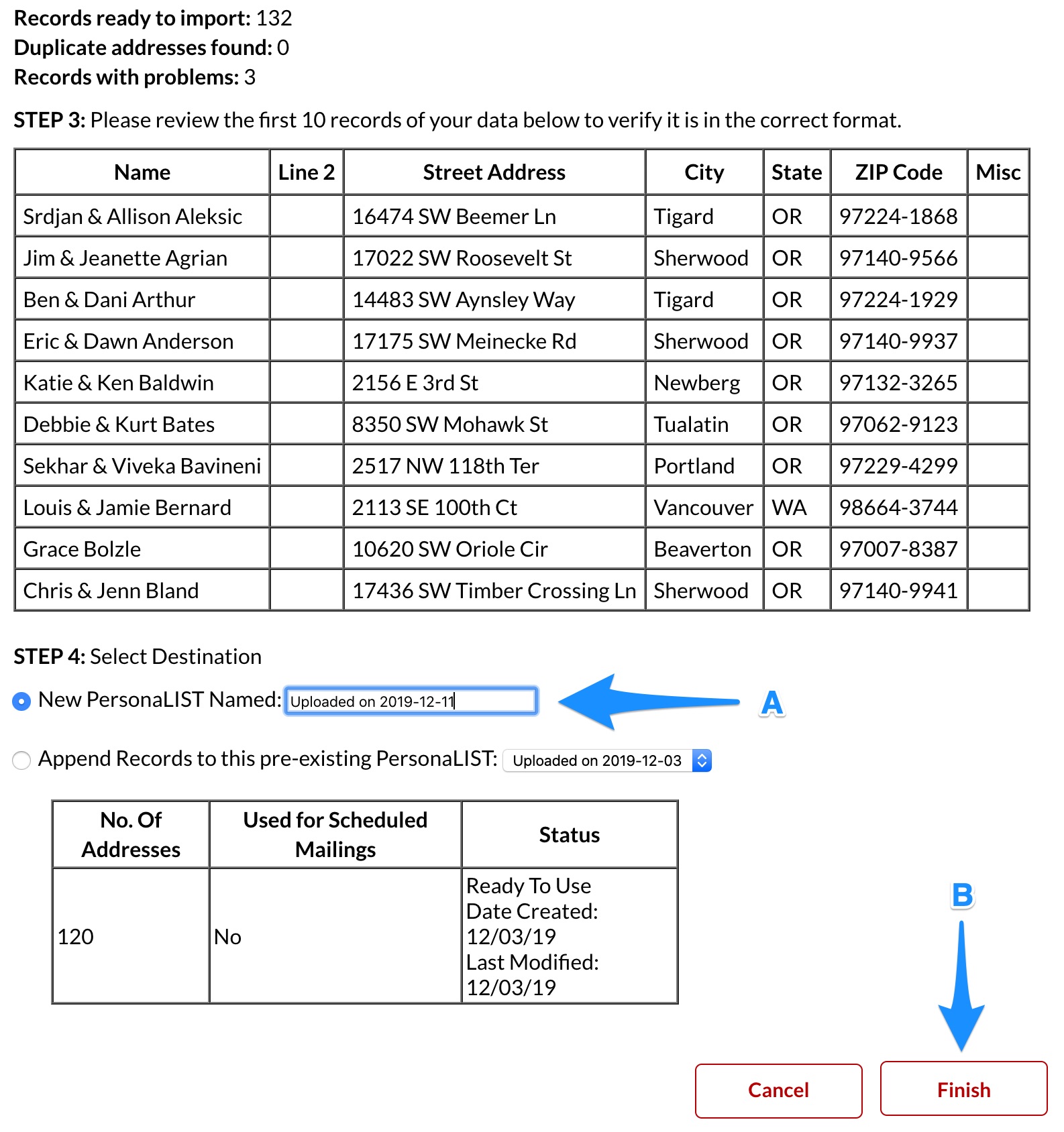
Name the File & Finish
A) Give the file a name with the following format: “Uploaded on YYYY-MM-DD”
B) Click “Finish”
Delete All Previous Lists
A) Under “Your Saved Lists,” delete any old lists by clicking “Delete” next to the list.
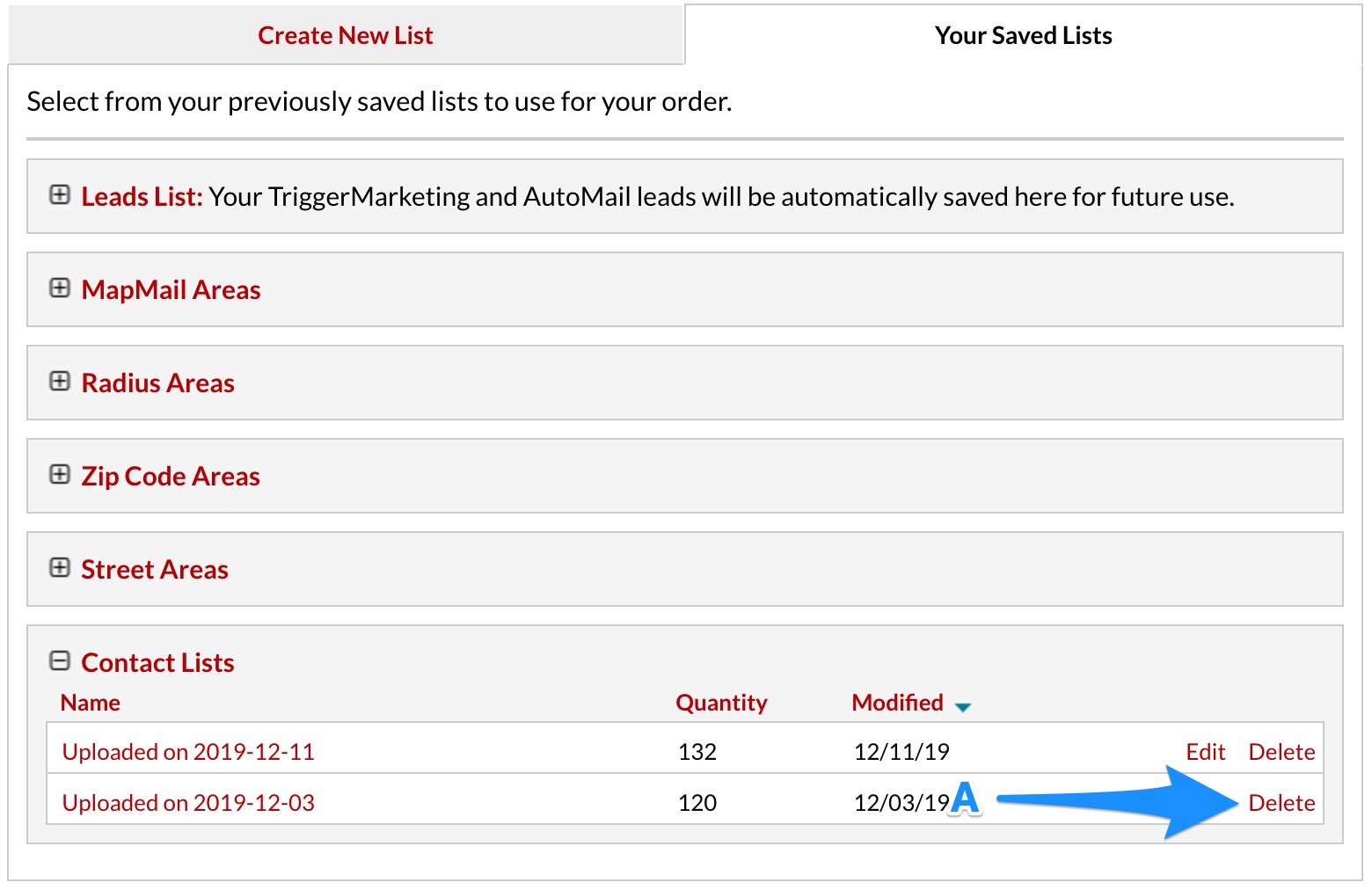
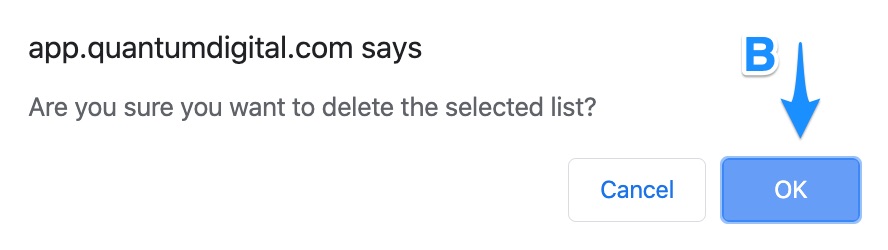
B) Confirm you want to delete the list by clicking “OK” in the dialog box
Email the Client Invalid Addresses
Note: if the client is on the Product Bright plan, we will validate these addresses for them! In order to do this, we’ll need to do some sleuthing on our end to find a valid address. See the tips below.
If the client had records with problems, email them the invalid addresses spreadsheet you just downloaded.
The email subject should be: “Invalid Mailing Addresses Attached”
Here is the email message:
Hello [client first name],
We recently uploaded your postcard contact list and the addresses in the attached spreadsheet are invalid. The attached spreadsheet indicates why the address is invalid. Please update these addresses before you send us your list next time.
Thank you!
Tips to Validate Addresses:
To give you a quick lesson on street addresses in the US, a valid US address is written as [House Number] [Street Prefix] [Street Name] [Street Suffix]. Not all addresses have a Street Prefix. For example, the address 8803 North Lombard Street has all four elements. 8803 – House Number, North – Street Prefix, Lombard – Street Name, Street – Street Suffix. However, sometimes streets don’t have a prefix: 8803 Lombard Street.
The best way to find a valid address is to use this address validator.
- Error 031 – this means the zip code is incorrect. Oftentimes there’s been an error in how the records were imported. In this case, we often just need to make sure the address is filled out correctly in Command.
- Error 413 – this means the street name is similar but not exact. Oftentimes, this means the street name has an extra or incorrect prefix or suffix. For example, the client may have the address written as 324 S Kensington Avenue but the valid postal address is 324 Kensington Avenue (no Street Prefix of “S”).
- Error 491 – this means the house number is incorrect. It could also mean there should be a unit or apartment number but there isn’t currently one listed. Usually, in order to fix this error, you need to ask the client for verification.