
1
From the Web
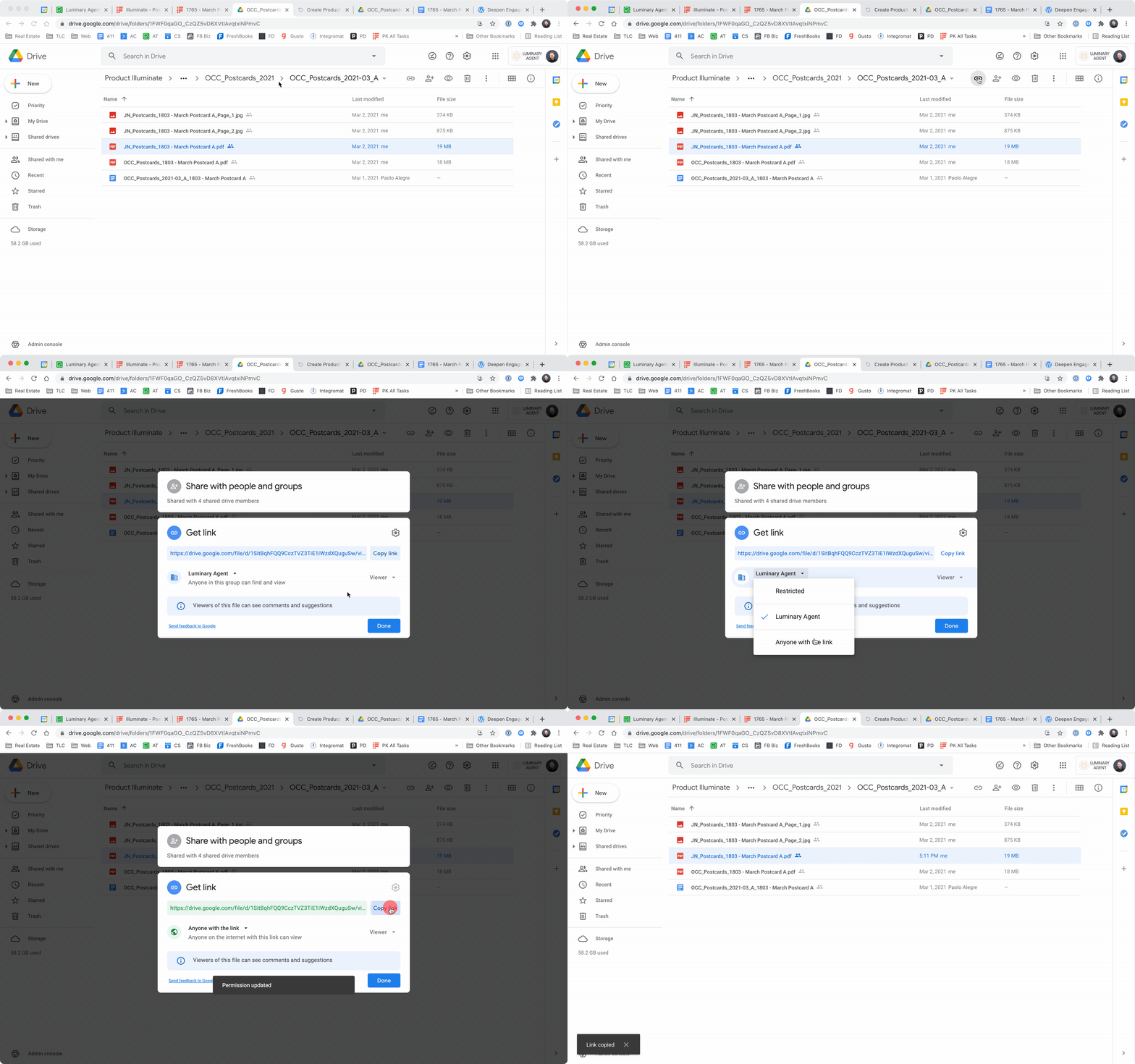
A) Select the file or folder you want to share
B) Click “Get Link”
C) IF YOU ARE SHARING WITH A CLIENT: change the permission level to “Anyone with the link” is a “Viewer”. IF YOU ARE SHARING INTERNALLY, do not change the permission levels.
D) Click “Copy Link” then click “Done”
2
From Your Desktop
NOTE: In order to share files from your desktop, you need to install the Google Drive application. This does NOT save the files locally to your computer so you don’t need to worry about storage space. It does make it very convenient to access files, however. The download link and instructions are here.
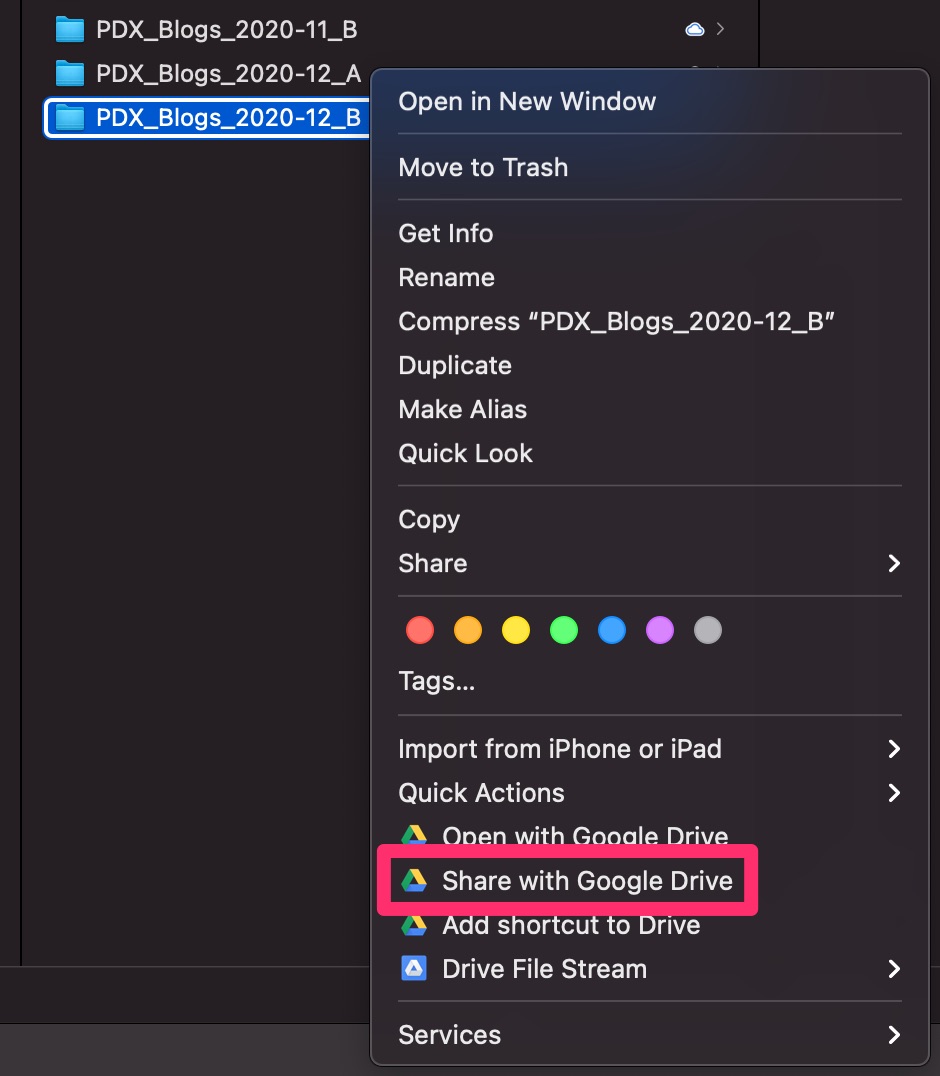
A) Right-click on the folder or file you want to share and select “Share with Google Drive”
B) IF YOU ARE SHARING WITH A CLIENT: change the permission level to “Anyone with the link” is a “Viewer”. IF YOU ARE SHARING INTERNALLY, do not change the permission levels.
C) Click “Copy Link” then click “Done”