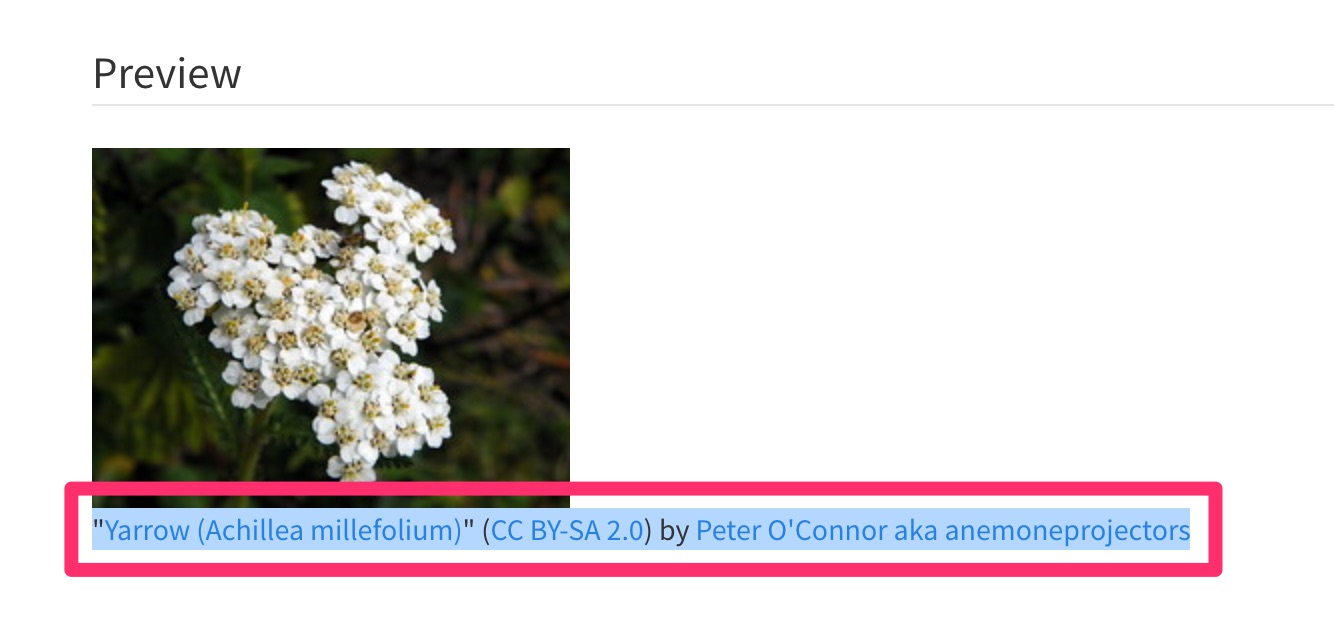
1
Find Images using Google Images
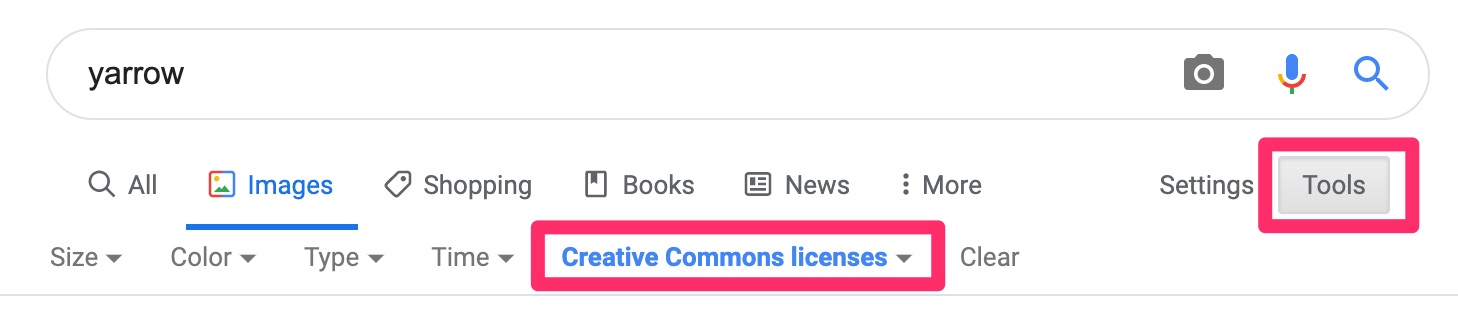
A) When looking for images on Google images, please filter for creative commons images. To do so, click on Tools then choose “Creative Commons licenses” under “Licenses”
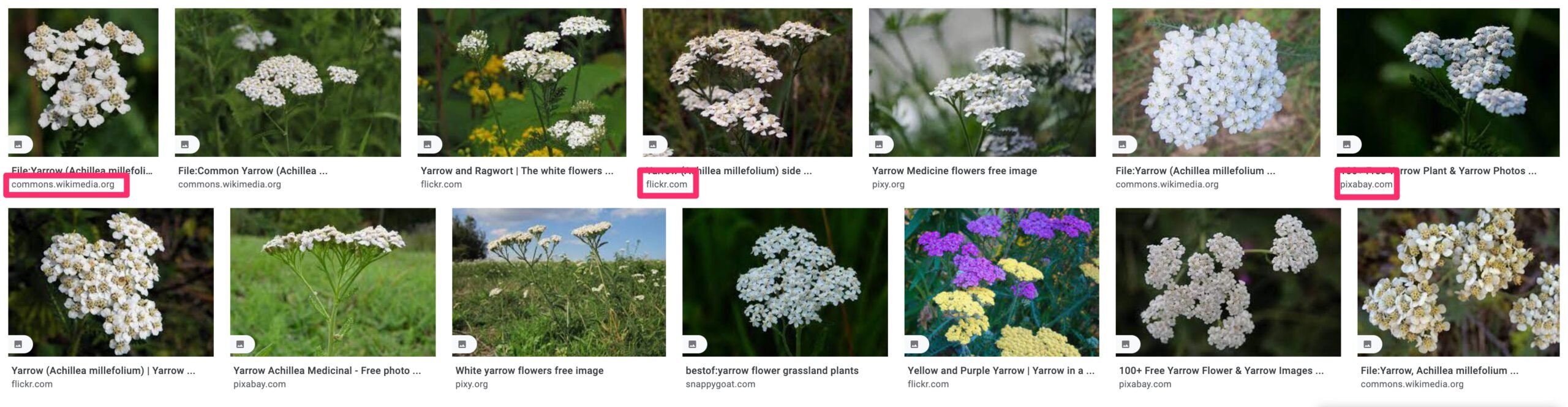
B) Acceptable sources are wikimedia and flickr as well as free public image sources like pixabay or pexels
2
Attribution for Wikimedia
If you’re sourcing an image on Wikimedia:
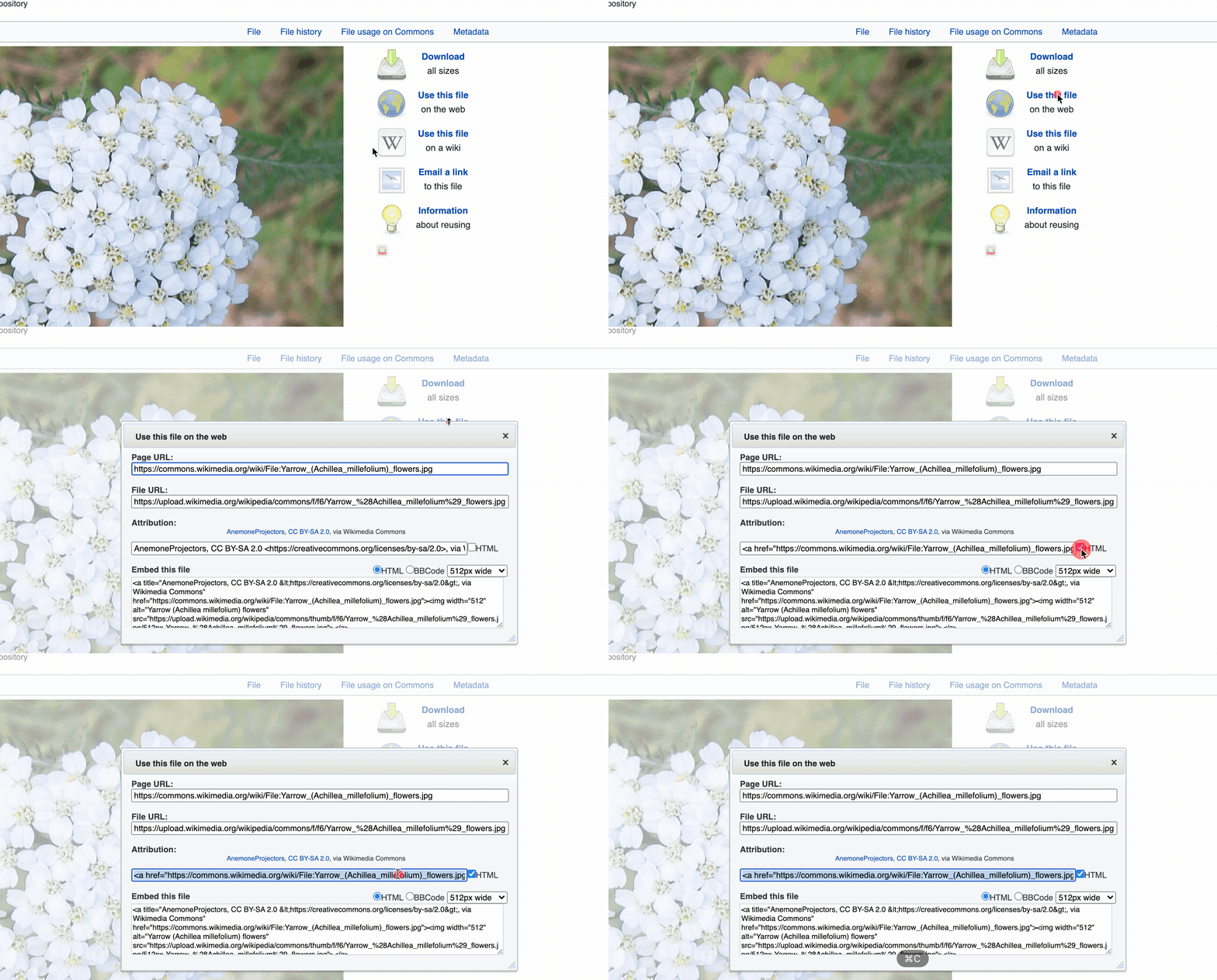
A) Click on “Use this file” and the attribution will be here. Please click the “HTML” box and copy the HTML into the image caption box in WordPress
3
Attribution for Flickr
If you’re sourcing an image on Flickr:
A) Copy the Flickr URL from the address bar
B) Go to imagecodr.org, paste the link, and click “Get Code”
C) Highlight and copy the attribution text/links below the image and copy it into the image caption box in WordPress